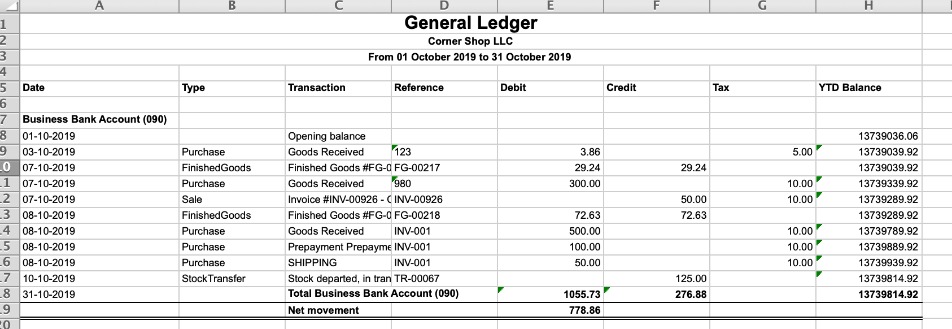
The default report provides you with a summary of all the transactions for the selected period. The excel detailed report provides the starting balance, ending balance and all of the transactions for the period organized by account.
This report is only available to users with Financial Reporting permissions.
Before you start
Data from the summary report can be exported in Excel, PDF or RTF format.
Input:
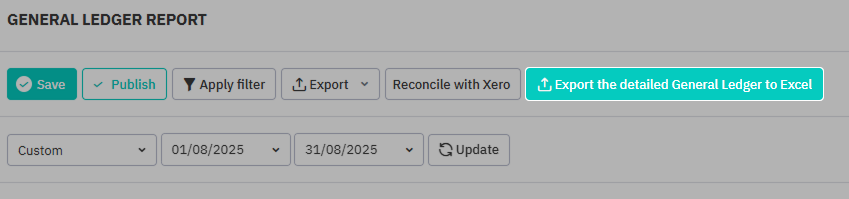
| Reporting Period | Allow the user to select the reporting period from a list of options or set a custom date range. |
|---|---|
| Layout | Set to the Default layout. Allows selection of saved layouts, if any. |
| Save Layout As | Allows saving a layout for potential future use. |
| Reset Layout | Resets the layout to the default layout or selected saved layout. |
Select Apply Filter to set filter fields for the report and Update to refresh the output with any new changes. See Managing Cin7 Core Reports - Filtering Reports for more detailed information about using filters.
Output:
The following output fields are available for this report.
Fields
| Account Class | Ledger account class |
|---|---|
| Account Code | Ledger account code |
| Description | Account description |
| Job # | Job number if applicable |
Data headers
| Opening Balance | Opening balance for the account |
|---|---|
| Debit | All debit turnovers for the period |
| Credit | All credit turnovers for the period |
| Closing Balance | Closing balance for the account |
| Net movement | Net money movement during the reporting period |
| YTD balance | Year to date balance for the account |
Detailed General Ledger
Click Export the detailed General Ledger to Excel to download a detailed summary in Excel format, including all transactions in and out of each account, transaction date and transaction type.
Publish
Balance sheet by periods can be Saved or Published to save a snapshot of the report and its settings where the data and date range cannot be changed.

Published reports can be accessed from the top right of the reports screen in the Published tab. Reports that have been saved but not published will appear in the Draft tab.
