WMS Feature Request - Display Tote for Single SO Pick

Hi Team,
When using the WMS > Pick
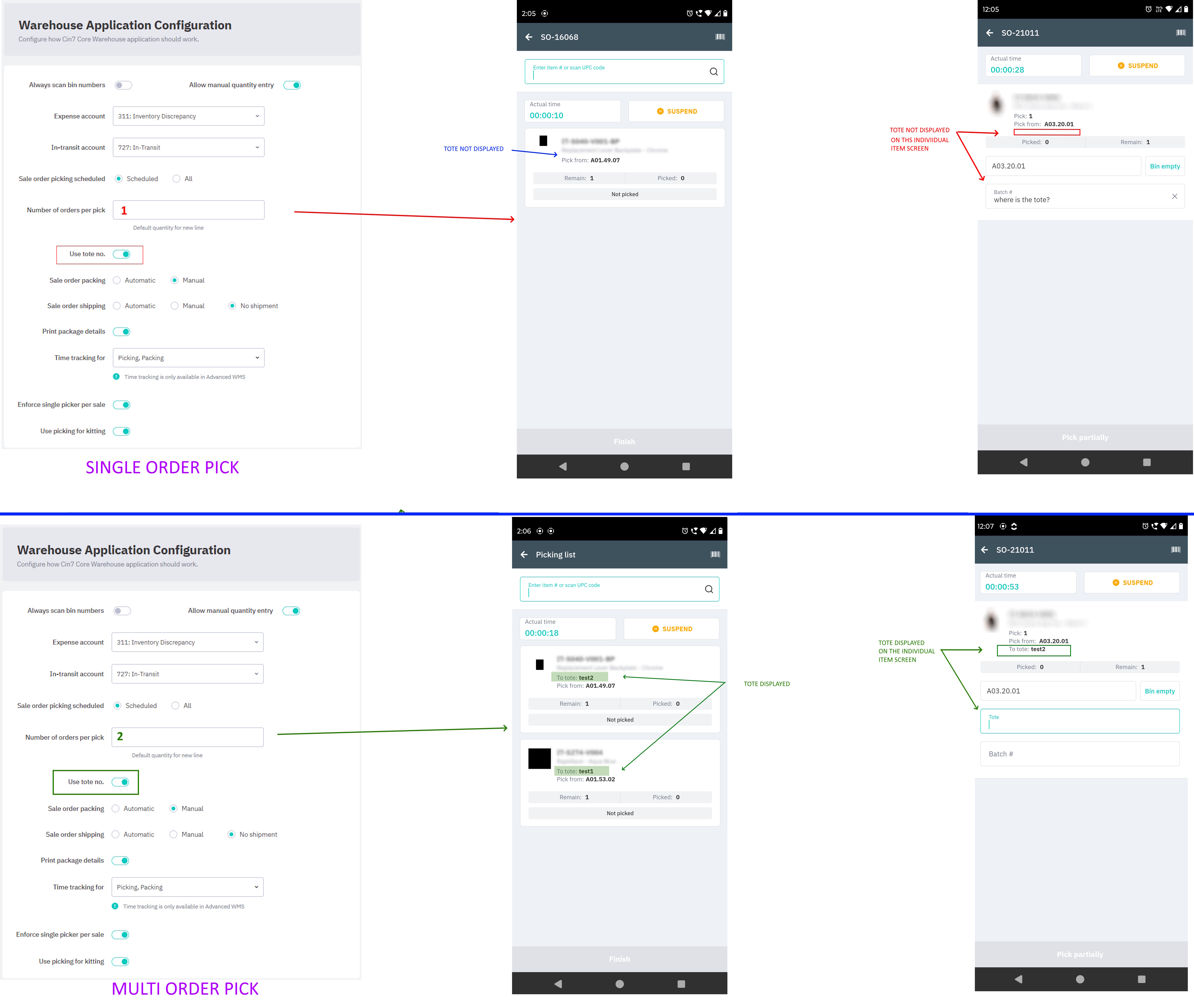
When picking a single order
- WMS setting > Number of orders per pick = 1
- Initial scan of a tote for a single Sale Order
- On the main Pick screen, the tote IS NOT displayed for each item
When picking multiple orders
- WMS setting > Number of orders per pick = 2 (or more)
- Initial scan of a tote for each Sale Order
- On the main Pick screen, the tote IS displayed for each item
Could you please
- Display the tote on the Pick screen for each item, when picking a single order
- It would be identical to the way you have programmed it when picking multiple orders.
Reasoning
- We have multiple WMS users, all completing a single pick at a time.
- These team members, all have access to the same totes (there are multiple fixed totes in our warehouse).
- They pick a SO, scan the tote at the very start, all good. They then walk off and pick the items and return back with the items, to the fixed totes location.
- Because the Pick Screen does not show them the tote, they can occasionally, forget which tote they initially scanned at the first step (especially when it is a large order with multiple items)
- This then means the items can be physically placed into the wrong tote, which then effects the PACK task later on.
- If the tote was displayed, just like it is when completing multiple orders, then this problem is solved.
- I am not entirely sure why the tote is not displayed during a single pick anyway? Wouldn't it just be easier to have it identical to the same way as when picking multiple orders at once? I cannot think of any downside?
Related to
Comments
0 comments
Please sign in to leave a comment.