Product Family issues - variant sequencing, templates

Hi Cin7 team
There are several issues we've identified when creating Product Families in Cin7 Core which in particular affects Apparel industry Clients
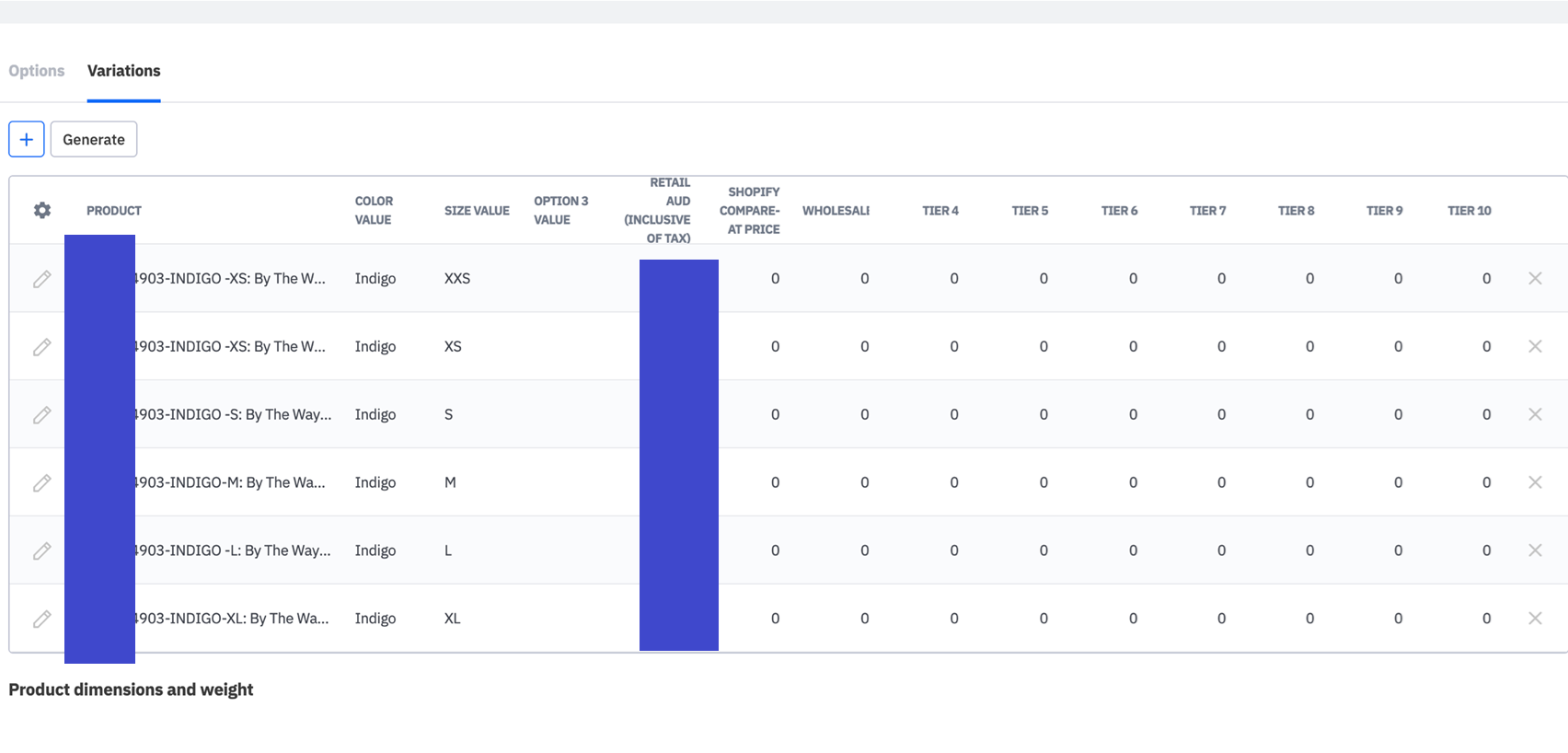
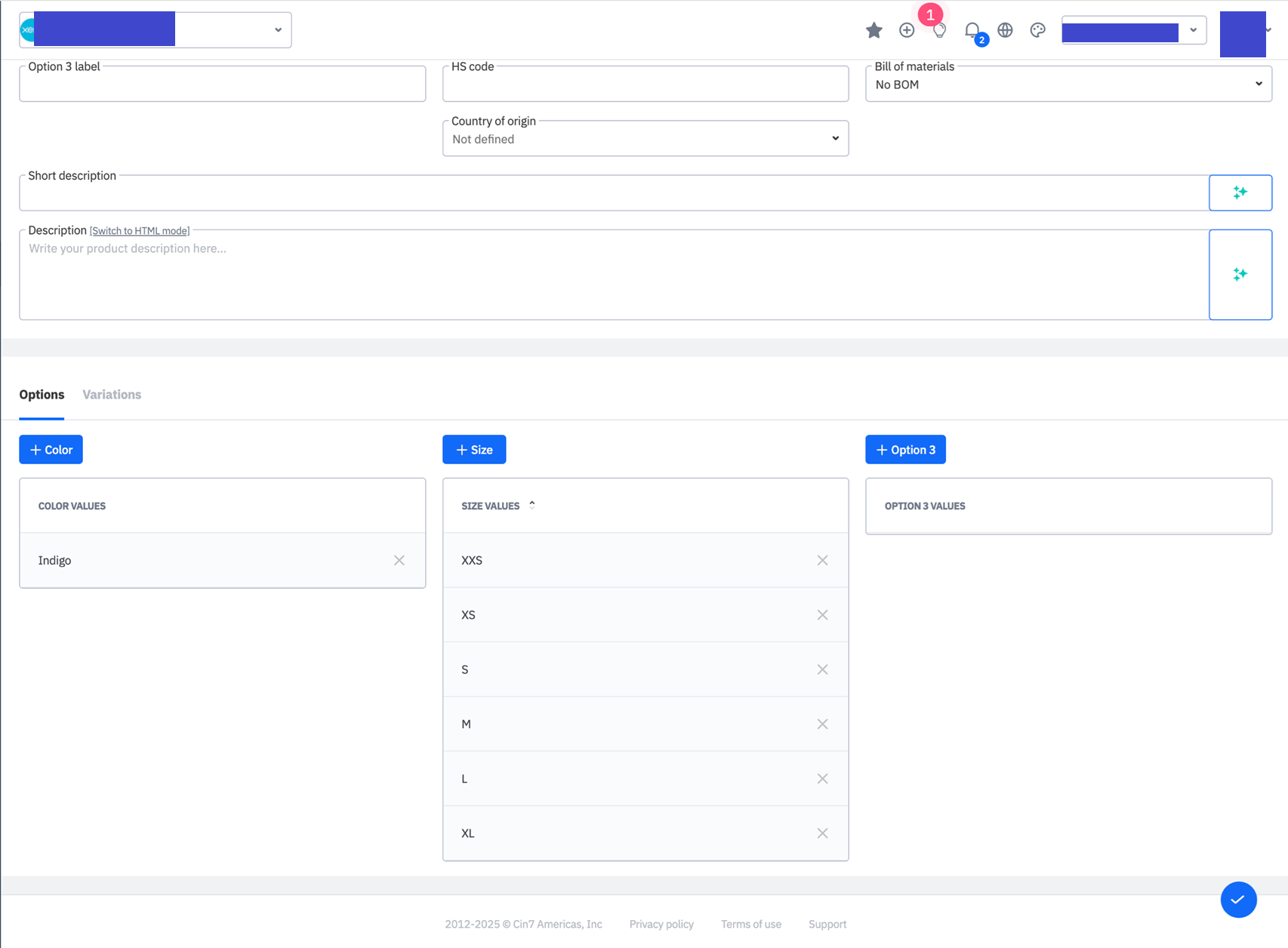
Please see below for reference. When we set up an apparel style, the sizing is in correct order as you can see from the screenshots. They have been entered in in according to the order we need but they print out of order in the purchase order template and the ordering interface.
1. Variants entered and mapped from XXS to XL (correct) in a Product Family
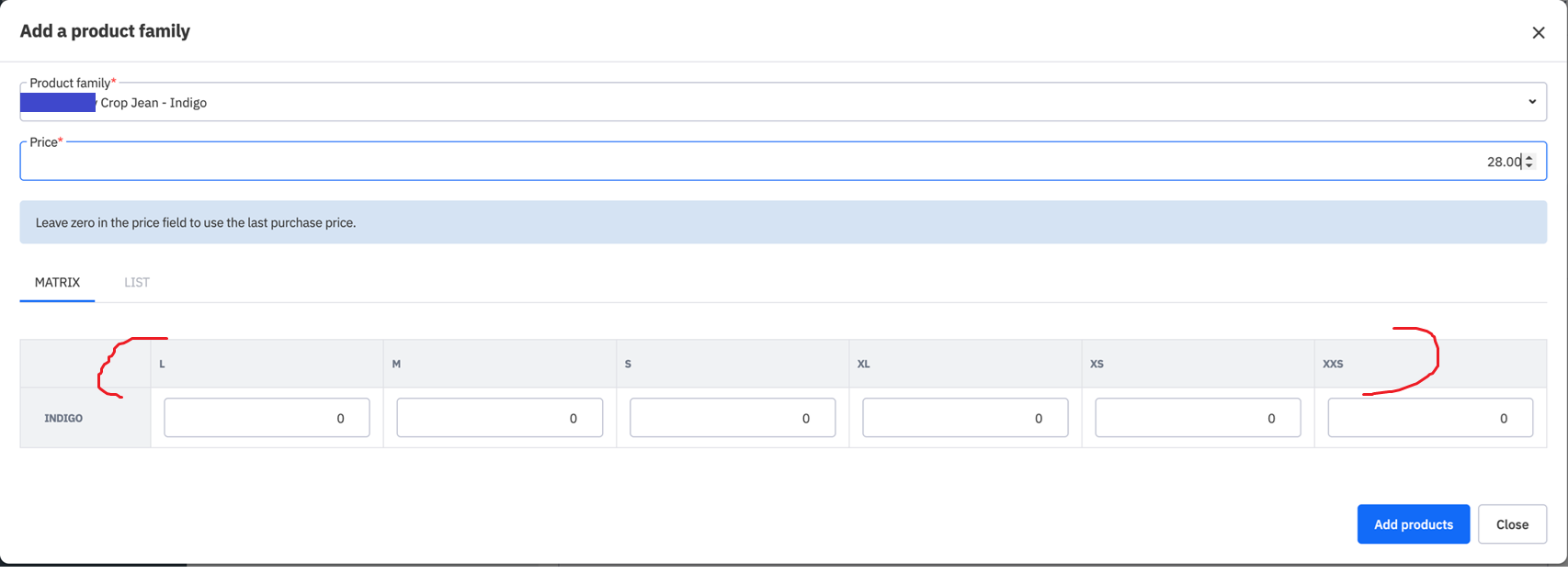
2. In a PO, the add a Product Family button shows the variants sequence in alphabetical order L,M,S,XL,XS, XXS. This is both incorrect and unintuitive for the person keying in the PO or the Supplier reading and receiving the document. Overall process is error-prone and slower than if the sequencing of the variants would be correct and consistent.
(Important) we find the sequence of variants tends to be correct sometimes when entering the Product family details via the web app but when imported in bulk via spreadsheet (which is faster and more convenient), the sequence is usually completely incorrect during the PO and even Sale stages.
Please see screenshots below.
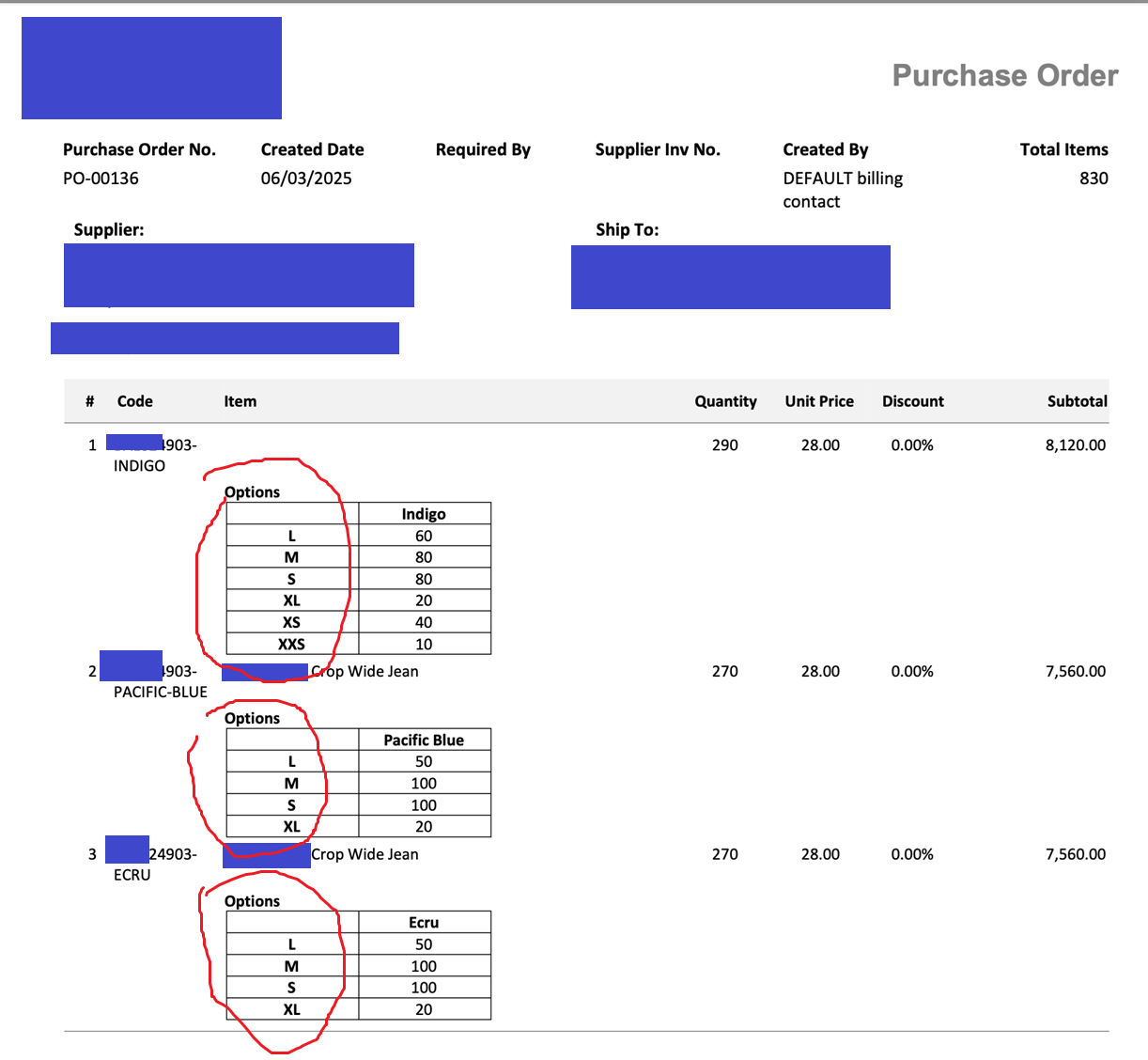
Can the app please improve this urgently as it makes product family creation difficult, slower, more error prone for the business and their supplier/customer. We need the sequencing to be reliably correct when creating the family via spreadsheet or the web app
Thank you
Rohit
Comments
1 comment
We have had exactly the same issue, and had to manually go into each family and change the order in which the sizes are listed on the Options tab. This then resolved the issue. But if there are many families, this is very time consuming.
Please sign in to leave a comment.