Feature Request: POS Email receipts change to default off Answered

Request:
- Be able to mass change/update the POS customer receipts via email toggle.
- Have an override in the POS setup to only send POS receipt emails when prompted. (Previous logic).
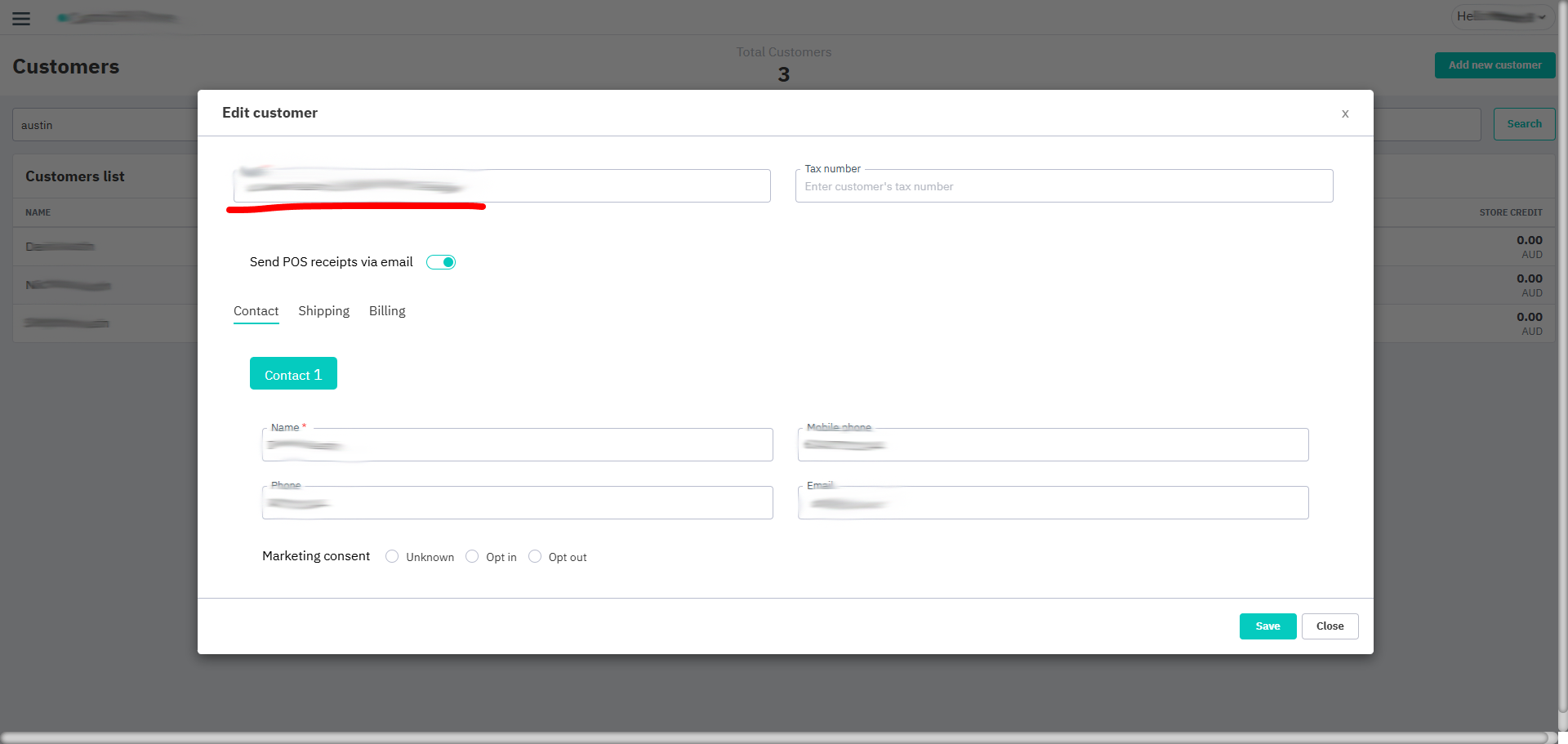
A recent update changed the behaviour of the POS email receipt logic.
POS email receipts are now sent automatically by default and can be overridden on the customer record in the POS app.
There is no way to mass change (import/export) all customers if you don't want this.
Unfortunately I have had users accidentally enter the wrong customer and the wrong customers gets the email automatically.
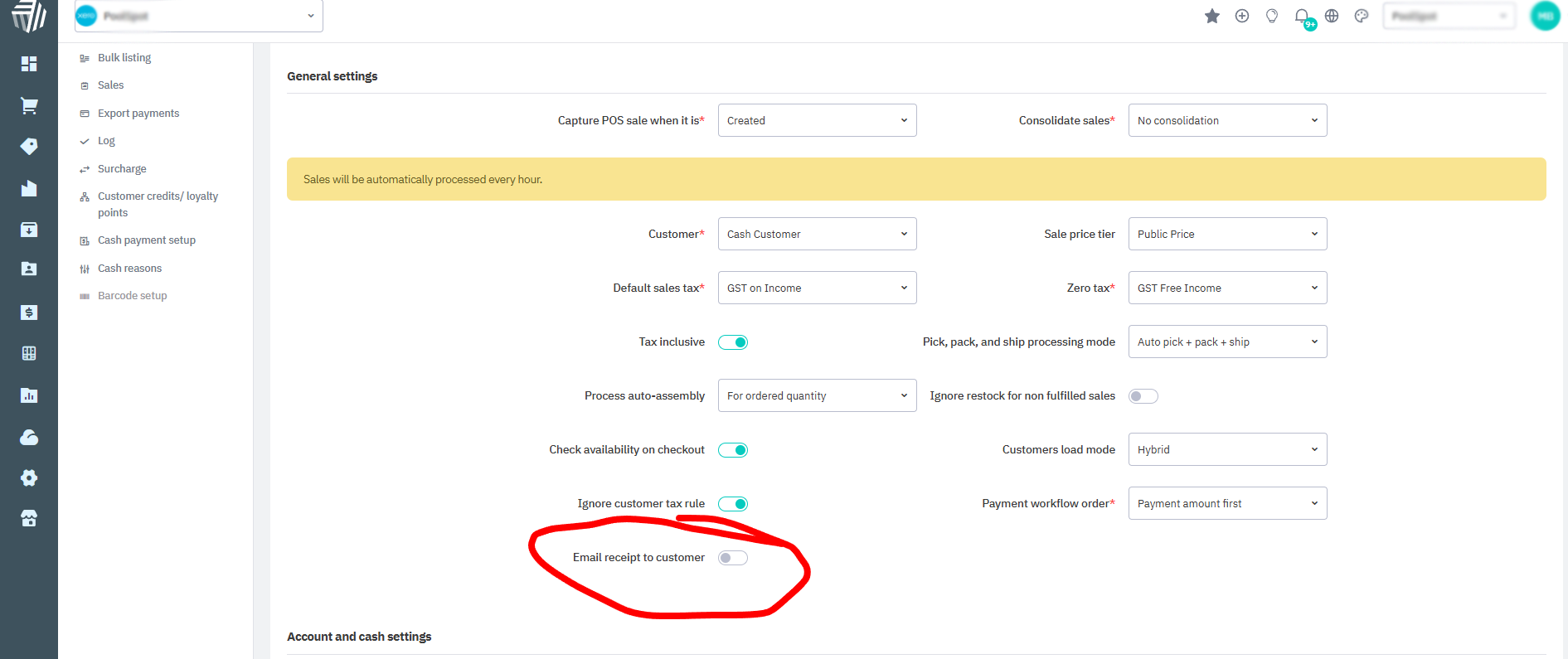
This option in the POS setup appears to have no function now?
Related to
Comments
6 comments
Hi Matthew & Chris
We understand your concerns, and have made this a high-priority issue. We want to minimize any disruption this may have caused.
We value your feedback on the proposed solutions. Please let us know your thoughts so we can ensure we meet your expectations effectively.
Regards
Cin7 Core Product Team
Amen. This unforeseen change in POS has been a disaster. Experiencing many of the same issues. Have reported as a bug but was marked closed by tech support. There is no feasible way to turn off the auto-send for thousands of clients in our system.
I'll add that the default receipt is sent in some sort of native outlook, not PDF nor .jpg so our clients are unable to save an attachment if they wanted. Would much prefer that this format is abandoned and in cases where we send an email receipt from Cin7 POS, it is with a PDF attachment like it does from Cin7 Core.
Thanks for your update. Have relayed to our store managers. Is it possible to immediately please change the default to “OFF” and also provide an import/export field that we can bulk administer?
Hi Chris & Maythew
I would like to confirm that the default setting for auto sending of pos receipts to email has been switched off for your pos applications. Also bulk import of registering the preference to send pos receipts automatically is work in progress will update you with the latest status at end of current engg sprint which is planned to completed by next weekend.
Hope this solves your request and problem you have faced with this new change
Thanks
Cin7 Product Team
Excellent, thank you!!! Appreciate the proactive, off-cycle change to implement this.
Many thanks for listening to our concerns!
Please sign in to leave a comment.